
Command
GSM OutdoorsSports
4.65.33K Reviews
- Version
- 6.6.7
- Installs
- 500.00K
- Age Rating
- Everyone
Screenshots
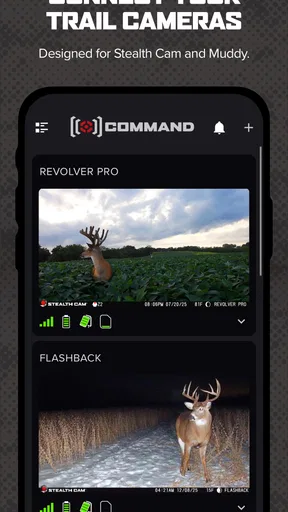
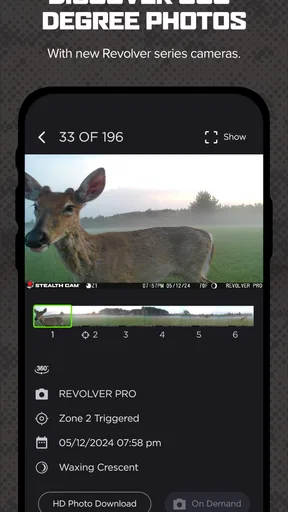
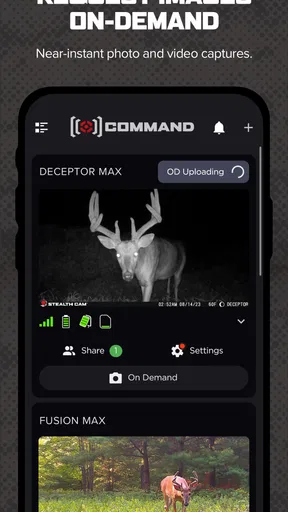
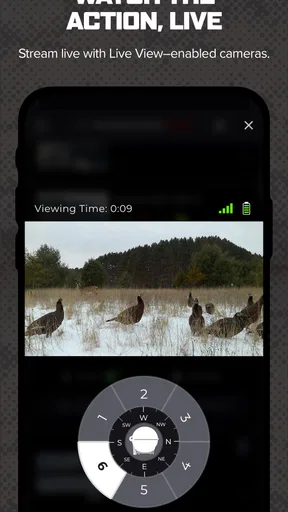
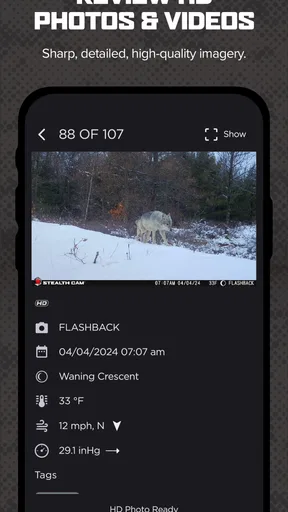
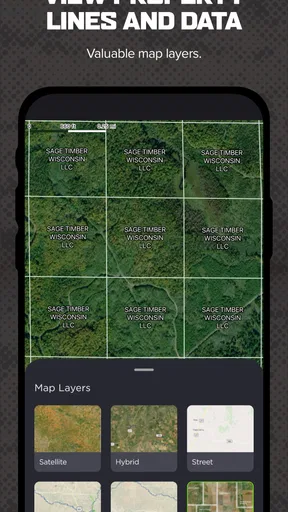
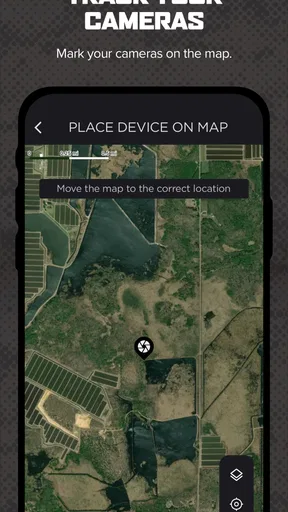
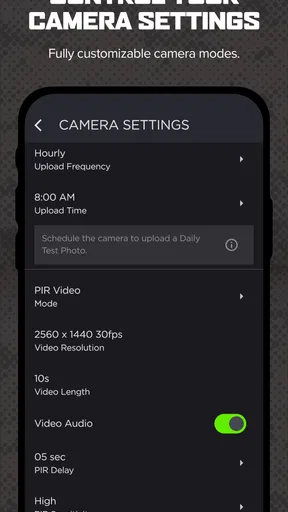
Our Review of Command
 Analysis by Appyee
Command is a sports app for people who manage Stealth Cam and Muddy cellular trail cameras, and I found that its real value appears when the cameras are working away from home. Instead of treating a trail camera as a device I check only after visiting the property, the app turns it into something I can monitor and manage from a phone. That sounds simple, but the experience depends heavily on the quality of the connection between the camera, the service, and the handset.
I reviewed it as a practical field tool rather than as a general photography app. It is free, aimed at everyone from a content-rating perspective, and developed by GSM Outdoors. The app sits in the Sports category, although its day-to-day usefulness is closer to remote equipment management than to a conventional scorekeeping or training companion. Its store summary describes its purpose clearly: managing Stealth Cam and Muddy cellular trail cameras.
What Command feels like when the camera is far away
The first thing I would tell a friend is that Command does not remove the need for a reliable cellular setup. It gives me a way to interact with a compatible camera remotely, but it cannot make a weak signal behave like a strong one. When the camera is placed in a wooded area, on farmland, or at another location I do not visit every day, connectivity becomes part of the entire workflow.
In a good situation, the app saves a trip. I can use my phone to check what the camera has sent, review activity, and handle camera-related tasks without immediately driving out to the site. That is especially useful when the property is several hours away or when weather makes a visit inconvenient. The benefit is not just convenience; it is better timing. I can decide whether a visit is worthwhile instead of going simply because I have no other way to know what is happening.
The less obvious point is that Command is only as current as the latest communication from the camera. A quiet screen does not automatically mean that nothing is happening in the field. It may mean the camera has not connected, has not transmitted, or is waiting for a communication opportunity. I learned to treat the app as a window into the camera’s latest reported state, not as a live video feed.
That distinction matters for hunters, land managers, and wildlife watchers. If I need an immediate response to a changing situation, I should not assume that opening the app guarantees a real-time update. If I mainly need periodic awareness and remote control, the app makes much more sense. The strongest use case is reducing unnecessary journeys, not replacing every physical camera check.
Why network quality changes the whole experience
There are several connections involved in the experience, and a problem in any one of them can feel like an app problem. The phone needs internet access to communicate with the service. The camera needs cellular coverage at its location. The camera also needs enough power and a functioning setup to send information. Command can organize the interaction, but it cannot solve a camera that is out of coverage or unable to transmit.
That is why I would set expectations before buying or deploying a cellular trail camera. The app is most useful when the camera location has dependable service. A remote site with inconsistent reception may still produce useful results, but delays and gaps become part of the routine. I would rather know that before placing the camera than blame the app each time an update arrives late.
A practical habit is to test the camera in the intended area before treating remote management as dependable. I would also check the app after a meaningful interval rather than repeatedly refreshing it every few minutes. Repeated checking does not create a connection where none exists, and it can make a normal delay feel like a failure.
Using it from a phone in ordinary field situations
Command is designed around a mobile context, so I found it most useful when I was away from a desk. A phone is the natural device for checking a camera while traveling between locations, planning a property visit, or making a quick decision outdoors. The interface is more valuable when I need an answer in the moment than when I want to perform a long administrative session.
One realistic scenario is a weekend property visit. I might check the app before leaving home, confirm whether the camera has recently communicated, and decide which equipment to inspect first. If the app shows recent activity, I can prepare for a focused visit. If there has been no recent communication, I can bring the tools and spare equipment that make sense for troubleshooting instead of arriving unprepared.
Another scenario is managing several cameras spread across different areas. The phone becomes a central place to keep track of those devices, which is more practical than remembering each camera separately. The advantage grows when the cameras are not all within easy walking distance. I can use the app to decide which location deserves attention rather than treating every camera as equally urgent.
Still, mobile convenience has limits. Small screens are fine for quick checks, but detailed review can feel less comfortable than working on a larger device. If I am comparing a large amount of camera activity or trying to make a careful long-term assessment, I would prefer to take notes separately rather than expect the app alone to become my complete wildlife journal.
I also would not rely on a phone with a nearly empty battery during a long field day. That sounds obvious, but remote camera management often happens precisely when I am away from normal charging. A simple routine helps: check the app before leaving, save important observations in a separate note if necessary, and avoid assuming that the phone will always be available when the signal is poor.
A smarter workflow for more than one camera
With multiple cameras, the main challenge is not simply opening the app; it is keeping the information useful. I would give each camera a clear physical identity and use the same naming logic in my own notes. For example, I might organize locations by property and area rather than relying on vague labels. That makes it easier to connect what I see in Command with what I find on the ground.
This is one of the app’s less obvious strengths: it can support a decision-making routine when I use it as part of a larger system. I can check remote status, identify the location that needs attention, and then compare the app’s information with the camera’s physical condition. The app is not a substitute for disciplined organization, but it makes that organization easier to maintain from a phone.
I would also avoid changing several things at once when troubleshooting. If I adjust a setting, move the camera, and change the power setup simultaneously, I may not know which action solved the problem. A slower, one-change-at-a-time approach is more useful, especially at a remote site where returning to test again is expensive.
What happens when updates are delayed or missing
Connectivity failures are the area where I think new users need the clearest expectations. A camera can appear quiet even though the app itself opens normally. In that situation, I would separate the problem into questions: is the phone online, is the camera likely powered, is the location covered, and has enough time passed for a normal transmission? That sequence prevents me from treating every delay as an application crash.
If Command does not show a recent update, my first step would be to avoid making an urgent decision based only on the silence. I would check again later, then inspect the camera physically when practical. At the site, I would look at the basics before changing anything complicated: placement, power, and whether the camera has a clear opportunity to communicate.
This recovery process is more important than it may seem. Cellular camera users often place equipment in locations where a failed visit costs time, fuel, and planning. The app helps most when it gives me enough information to prioritize a visit. It helps less when I expect it to diagnose every cause remotely.
I also appreciate that the app’s usefulness should be judged over a pattern, not one isolated missing update. A single delay may be harmless. Repeated gaps from the same location suggest that I should investigate the setup rather than repeatedly refreshing the phone. Looking for patterns is a better use of the app than reacting emotionally to every quiet period.
Keeping mobile data and attention under control
Because Command is designed around communication with cellular cameras, I would use it thoughtfully on a limited mobile plan. The exact impact will depend on how much material the camera sends and how often I review it, so I would avoid assuming that every session has the same cost. Checking a small status update is not the same as repeatedly reviewing a large collection of images.
A data-conscious routine is straightforward. I would use a reliable Wi-Fi connection for heavier review when possible, reserve quick checks for mobile data, and avoid opening the app repeatedly just because an expected update has not appeared. This is not a criticism unique to Command; it is a sensible way to use any remote camera service that depends on transmitting information over networks.
There is also a battery angle at the camera end. More communication can make a cellular setup more demanding than a camera that stores material locally for occasional collection. That creates a genuine trade-off: remote awareness is valuable, but it comes with more dependence on power and communication. For a camera in an easy-to-reach location, a conventional local-storage approach may be cheaper or simpler. For a distant location, the extra connectivity can justify itself by reducing travel.
This is where Command compares favorably with the usual alternative of visiting a camera and collecting its storage manually. The app offers immediacy and remote awareness. The traditional approach offers fewer communication variables and may be easier to understand when the camera is nearby. Neither method wins in every situation. I would choose Command when distance and timely awareness matter more than absolute simplicity.
Who will appreciate Command most
I think Command is a strong fit for owners of compatible Stealth Cam or Muddy cellular trail cameras who manage land from a distance. It is also useful for people who want to make field visits more deliberate, especially when several cameras are distributed across a large property. The free price makes it easy to try as part of that equipment setup, rather than adding another purchase before discovering whether the workflow suits me.
The app has attracted an average rating of 4.5 from around 29,000 ratings, with more than 4,000 written reviews and over 500,000 installs. Those figures suggest that it has reached a substantial group of camera users, but they do not change the most important compatibility question: it is intended for Stealth Cam and Muddy cellular trail cameras. Someone using a different camera brand should not install it expecting a universal management tool.
I would be more cautious about recommending it to someone who only checks a camera once every few months and lives close to the property. In that case, local storage and a physical visit may be less complicated. I would also hesitate to recommend a cellular workflow to anyone who cannot tolerate delayed updates or who needs guaranteed real-time awareness. The app improves access; it does not turn a remote location into a perfectly connected one.
Version, accessibility, and everyday practicality
Command is currently at version 6.6.1 and requires at least Android 9. That makes the operating-system requirement worth checking before installation, particularly on an older field phone. I would use a device that receives regular system updates and has enough free storage for normal phone operation, even though the app itself is free.
The Everyone age rating makes the app approachable for a broad audience, but the real learning curve comes from understanding cellular camera behavior. A first-time user may assume that opening the app should immediately reveal the latest situation. I found that the better mindset is to learn the rhythm of the camera: when it usually communicates, how long delays can last, and what a normal quiet period looks like at that location.
That knowledge turns Command from a simple viewing tool into part of a field routine. I would keep a short record of installation conditions, expected communication behavior, and any recurring gaps. This makes future troubleshooting much faster because I can compare a new problem with the camera’s previous pattern instead of starting from zero.
My connectivity verdict
After using Command as a remote camera companion, I see its biggest strength clearly: it makes a distant Stealth Cam or Muddy cellular trail camera more useful between physical visits. The app can help me decide when to travel, which camera deserves attention, and whether remote monitoring fits the way I manage a property. That is a meaningful improvement over waiting until I can collect everything manually.
Its main weakness is equally clear. The experience is tied to the quality and timing of communication, so the app cannot promise the immediacy that some users may imagine. Delays, missing updates, power issues, and weak coverage require patience and a methodical recovery process. If I accept those conditions, Command feels practical rather than frustrating.
I would recommend Command to compatible camera owners who value remote awareness and are willing to think in terms of connected equipment. I would skip it as a reason to buy into cellular cameras if the property already has easy physical access or unreliable coverage. For the right setup, the free app is a useful control point; for the wrong setup, it can only display the limits of the network around the camera.
Privacy and Permissions
See what permissions an app requests and how it handles your data.
- Location
- approximate location (network-based), precise location (GPS and network-based)
- Photos/Media/Files
- read the contents of your USB storage, modify or delete the contents of your USB storage
- Storage
- read the contents of your USB storage, modify or delete the contents of your USB storage
- Camera
- take pictures and videos
- Wi-Fi connection information
- view Wi-Fi connections
- Other
- view network connections, pair with Bluetooth devices, full network access, change your audio settings, run at startup, control vibration, prevent device from sleeping
Verdict
Strengths of Command
- Clean interface makes navigation quick and straightforward.
- Supports fast messaging with minimal setup.
- Useful search tools help locate conversations and content.
- Notifications can be adjusted to reduce interruptions.
- Works well for users who prefer a focused communication app.
Limitations of Command
- Some advanced features may require a paid subscription.
- New users may need time to learn all available commands.
- Notification settings can be difficult to fine-tune.
- Performance may vary on older or less powerful devices.
- Limited usefulness if your contacts do not use Command.
Other Releases by GSM Outdoors
View All
HuntStand: GPS Maps & Tools
Sports2.5

DeerCast: Weather, Maps, Track
Weather4.6
Similar Picks in This Category
View All
BeSoccer: Soccer Live Score
BeSoccer apps4.3

Cricbuzz - Live Cricket Scores
Cricbuzz.com3.7

NFL
NFL Enterprises LLC2.4

Da Fit
MO YOUNG LIMITED3.6

ESPN
Disney4.5

LiveScore: Live Sports Scores
LiveScore Limited4.5
Frequently Asked Questions
What is Command, and what can I use it for?
Command is an app designed to help users manage and interact with tasks, tools, or services through a streamlined command-based interface. Depending on the version and platform, it may provide shortcuts, automation features, organized controls, or quick access to frequently used actions. Before downloading, review its store description carefully to confirm that its available functions match your needs and expectations.
Is Command suitable for beginners, or does it require technical knowledge?
Command may be easy to start using, but the learning curve can depend on which features you need. Basic actions are usually understandable after exploring the interface, while advanced commands, automation, integrations, or customization options may require some technical familiarity. New users should begin with the introductory settings and help documentation before relying on more complex commands or automated workflows.
Does Command require an internet connection to work properly?
Some Command features may work offline, particularly local settings, saved commands, or basic interface functions. However, online connectivity can be necessary for account synchronization, cloud services, updates, integrations, remote actions, or access to external data. Availability may also vary between Android and iOS. Check the app’s permissions and official store information to understand which functions depend on an internet connection.
Is Command free to download, and are there in-app purchases?
Command may be available as a free download, but certain advanced tools, premium features, subscriptions, or usage limits can vary by platform and region. Before installing, check the pricing section on Google Play or the App Store, including recurring subscription terms. If the app offers a trial, verify its cancellation policy so you are not charged unexpectedly after the trial period ends.
What privacy permissions does Command request?
The permissions requested by Command depend on the features you use and the operating system installed on your device. It may ask for access to notifications, files, accounts, network connections, or other system functions to perform commands and integrations. Review the privacy policy and permission prompts before granting access, and disable permissions that are unnecessary for the features you intend to use.
